See it in action
From "when can I go?" to back home — handled
One flow: find the window, lock in, and a lock-screen countdown gets you there and back before your next thing.
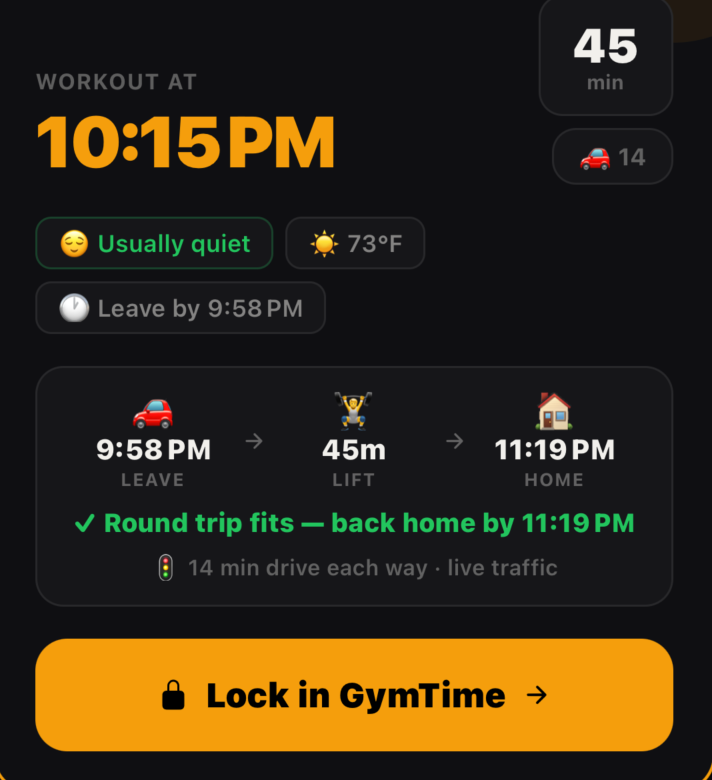
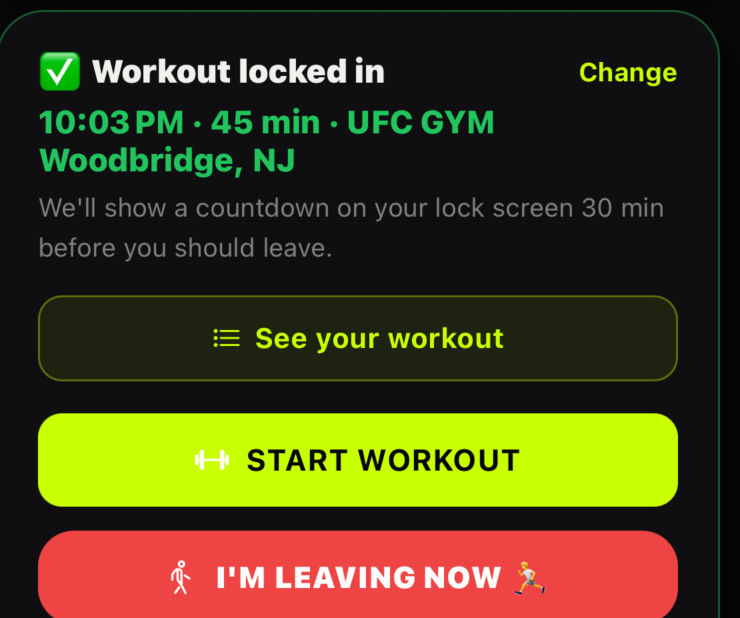
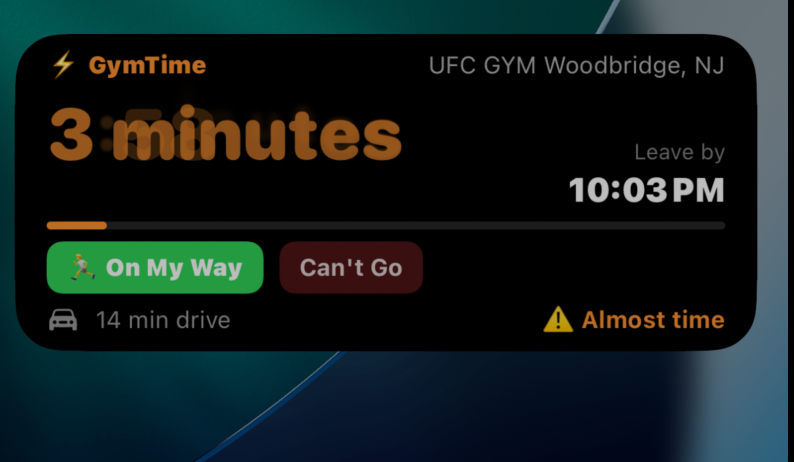
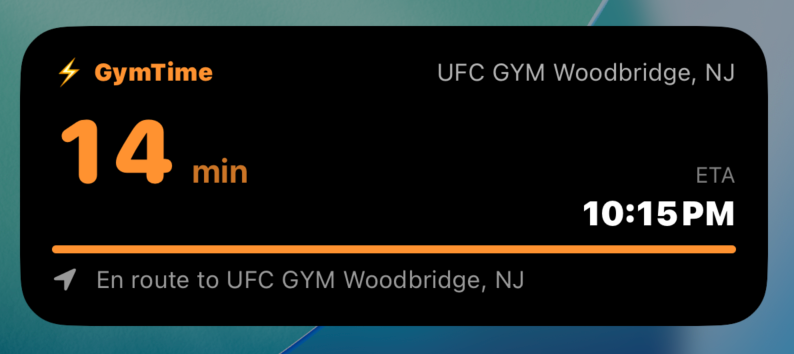
It doesn't make workouts. It makes time.
It reads your real calendar, does the round-trip math with live traffic, and tells you when you can actually train — and still be back before your next thing.
Built for iPhone · Live Activities · Apple Health · lock-screen countdown
A meeting runs long. Traffic spikes. You can't tell if there's time to get there and back — so you don't go. GymTime does the math, so "maybe later" becomes "leave at 1:30."
Who it's for: the person who knows they need to be in the gym and keeps finding reasons not to go. If you'd go regardless, you don't need this. If that's you, it holds you to your word — your own numbers, never a lecture.
GymTime does the eating math before the gym math: your numbers, the standard formulas, and what a session actually covers. Here's what a label costs in minutes of your training. Type your weight.
Minutes of a moderate full-body session at your weight (MET 5.5). Common published label values — examples of reading a label, not a menu. GymTime never tells you what to eat. General estimates, not dietary or medical advice; under 18, pregnant, or a history with food — talk to a clinician, and the app won't set a deficit. See our Terms.
Anyone can say "you have a free hour." GymTime checks whether you can leave, drive there in current traffic, train, and get back — before your next commitment. If it doesn't fit, it won't pretend it does.
Real drive time now — not a theoretical average — for the trip there and the trip back.
Every window is checked against your next calendar event. Tight turnaround? You get warned before you commit.
Rain or snow on the way? It tells you what to bring and pads your departure so you're not caught out.
If traffic worsens before you leave, it nudges you to head out earlier. At the gym, it tells you when to leave to make your next thing.
Pick the path that matches how your week actually runs. New accounts start automatic — switch any time in Settings.
Your days are run by meetings and life. We read your real calendar (Google, Outlook, Apple), find the gaps between events, and surface the windows you're actually free.
You have a weekly pattern — same gym days, same time blocks. Tell us your routine and recurring commitments (dinner, kids, basketball) and we work inside your real availability.
"I just want N workouts a week." Set a target, ignore the calendar — we pick the best moments and tell you when to go. No micro-management.
Travel time, getting ready, gym check-in, the drive back, and your next commitment — accounted for. Real life with traffic and overhead, not theoretical time.
"You have 45 min if you leave in 8 — home by 2:55, before your 3:30." Specific, actionable, never aspirational. A lock-screen countdown keeps you on time.
Open the app at the gym and your workout is already there — sized to your time, your equipment, and your injury history. Swap any exercise mid-set.
Every window is round-trip checked against your next commitment. If a workout would make you late, GymTime flags it before you lock in.
Google Maps with live traffic for the drive there and back, plus realistic overhead like getting ready and gym check-in.
Rain, snow, or a cold front on your commute? GymTime reminds you what to bring, pads your departure, and steers you indoors when it makes sense.
Lock in a workout and add it to the calendar you choose — opt-in, on a calendar you pick. Reschedule moves it; cancel asks first. Never silent.
Dinner with the kids. Wednesday basketball. Add recurring commitments and we never suggest workouts during them.
Heads-up to leave for the gym when traffic shifts — and, once you're there, when to leave so you make your next thing.
Custom workouts from your available time, gym equipment, and goals. Tap "Taken" and it regenerates 3 alternatives on the spot.
Blacklist machines you don't want at each gym. The generator substitutes alternatives — different preferences per location.
A mid-workout check-in. Sharp pain routes you to a safe stop and steers the next two weeks of workouts around that movement.
Hit a new heaviest weight × reps and we catch it mid-set. Inline badge, automatic tracking — no manual logging.
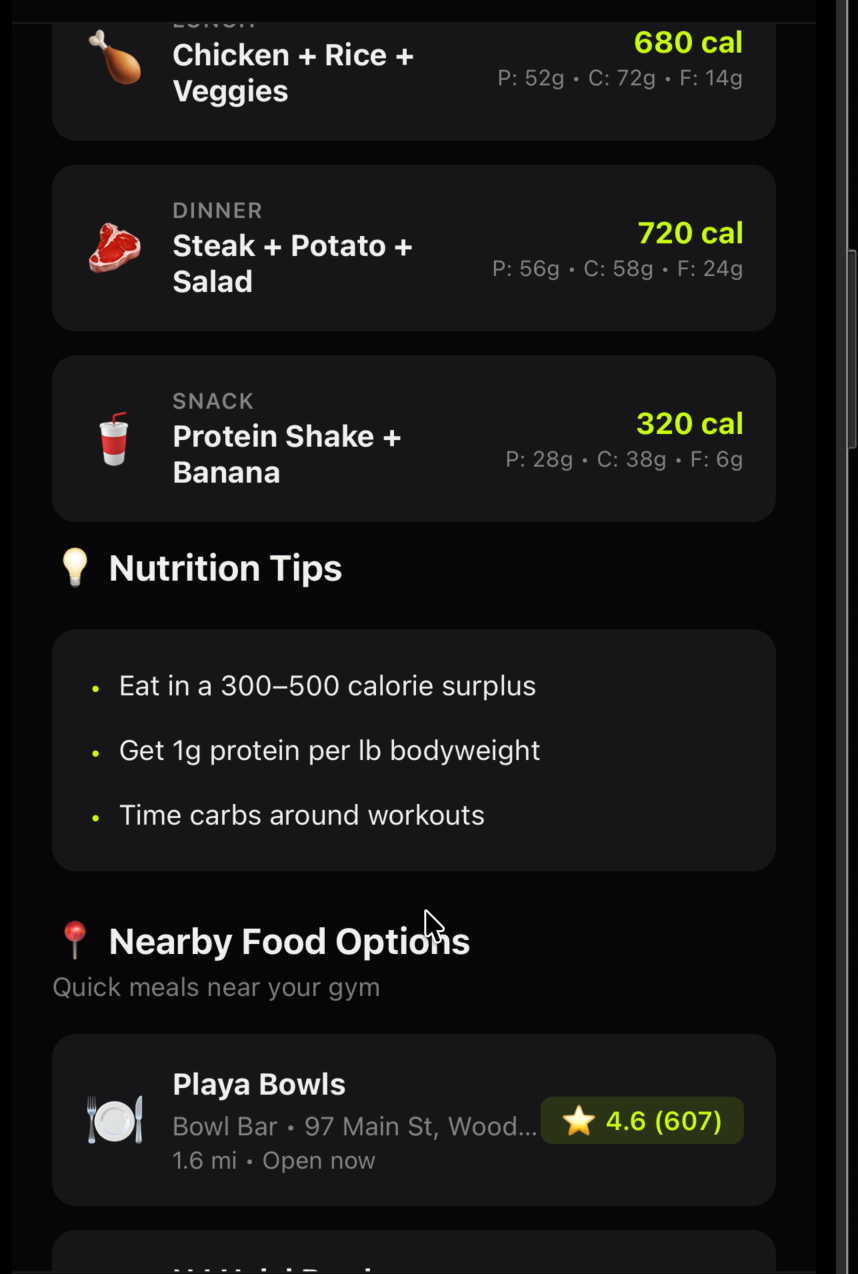
Post-workout suggestions match what you trained — legs day gets protein bowls, cardio gets smoothies and açaí.
A Live Activity counts down to departure on your lock screen. Tap once when you head out. Confetti when you arrive.
If your usual window slips, a pattern-aware nudge offers a 15-min bodyweight fallback — not a generic guilt trip.
Invite friends, run streak challenges, send preset check-ins. Fully opt-in with tiered sharing — they see only what you allow.
A 10-step interactive walkthrough covers every tab in about a minute. Skippable, and replayable any time from Settings.
One flow: find the window, lock in, and a lock-screen countdown gets you there and back before your next thing.
Not "go at 6am." More like "Tuesday's your push day — 45-minute window if you leave now, home before your 3:30."
7-day free trial. Cancel anytime in your Apple ID settings.
*Fair-use limit: 50 AI workouts per day — plenty for daily training, and it keeps automated abuse from running up costs.
More questions? See the full FAQ.
Opt-in — you choose which calendars. iOS's Calendar permission grants read access to your events; GymTime uses event times, titles and locations — to find your windows, label what a workout fits around and spot a class you booked — checks an invite only for your own reply, and ignores notes, the guest list and attachments. When you connect, it reads your last eight weeks on your phone and keeps only per-day counts. Your calendar stays on your device and is never stored on our servers. The one exception: if an event moves or cancels and triggers a nudge, that event's title may be sent to our AI to word the nudge. Google Calendar works without adding it to your iPhone: connect it in Settings and GymTime gets read-only access — your phone fetches the events straight from Google and uses them the same way, and our servers keep only the connection, never the events. Disconnect any time in the app. Don't connect a calendar and GymTime never asks.
Used on your device to compute drive times and trigger arrival/departure reminders. Travel-time lookups send only the coordinates needed to route you — your precise location is never published or sold.
We derive a coarse region (state + country) from your gym, on-device, to understand where GymTime is used. Exact coordinates never leave your device, and you can turn analytics off entirely in Settings → Data & Privacy.
Structured injury info (body part + severity) syncs to your account so recommendations adapt across devices — encrypted at rest, row-level secured, never shared with buddies or third parties. Free-text medical notes stay on your device and never sync. Read the full Privacy Policy.
GymTime launches on the iPhone App Store shortly. Bookmark this page to grab it the moment it's live.
Coming Soon to the App StoreRequires iOS 16.1 or later · 7-day free trial · cancel anytime